MCP servers
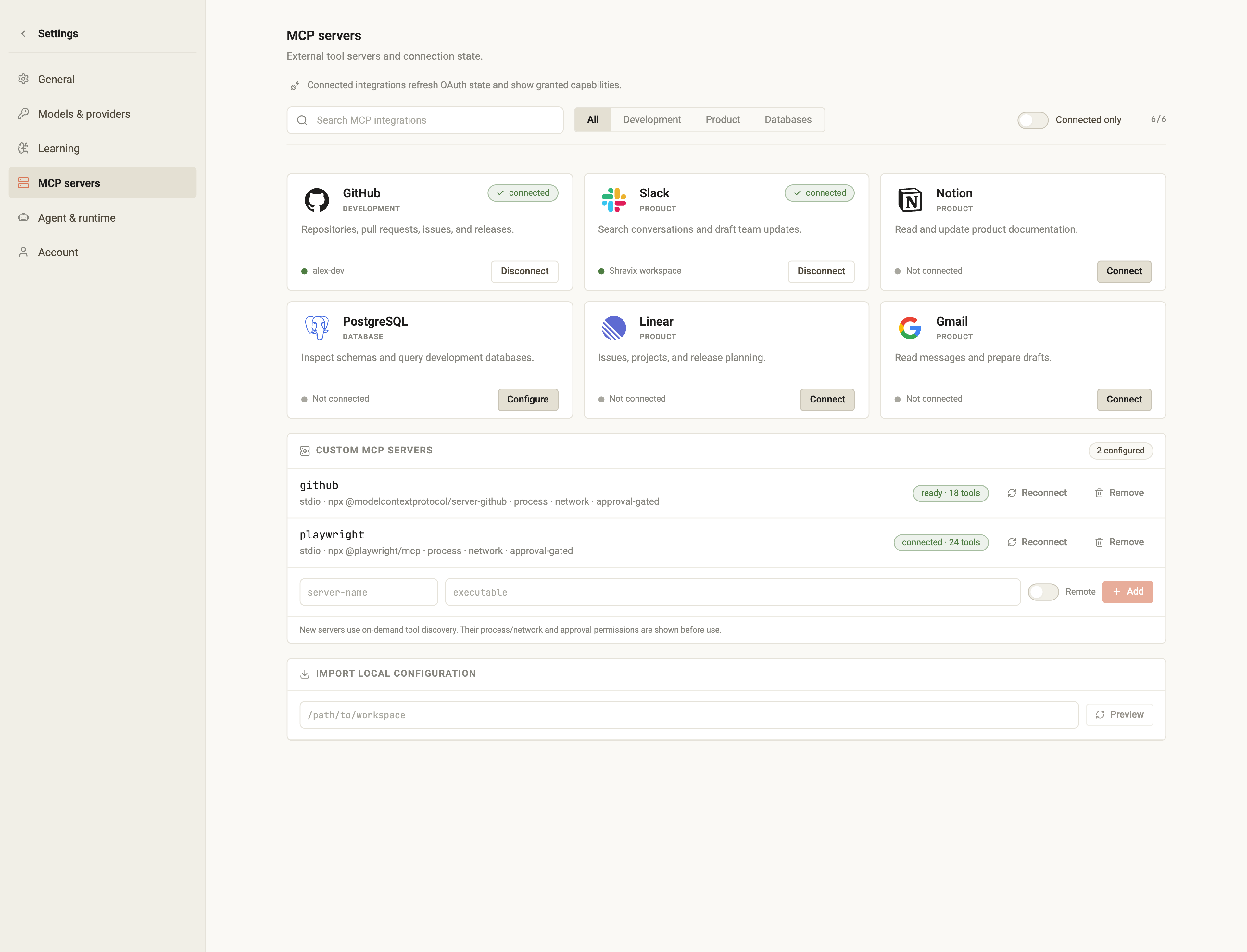
Shrevix speaks MCP natively: tools from supported external servers register and work like built-ins, with approval gating by default and explicit per-server allowlists when configured.
Presets
Section titled “Presets”- Open Settings → MCP servers.
- Add a preset — GitHub, Slack, Linear, Google Workspace, filesystem, or Postgres — in one click.
- Shrevix writes the config and tells you which credential it needs. OAuth-style integrations open browser consent; token-based presets ask for the required token or environment configuration.
Custom servers
Section titled “Custom servers”Supported stdio and remote MCP servers are not limited to presets.
Configuration uses the standard mcpServers format — the same one other MCP
clients use — in
~/.shrevix/mcp.json (global) or ./.mcp.json (per project), with ${VAR}
expansion:
{ "mcpServers": { "filesystem": { "command": "npx", "args": ["-y", "@modelcontextprotocol/server-filesystem", "~/projects"] }, "github": { "command": "npx", "args": ["-y", "@modelcontextprotocol/server-github"], "env": { "GITHUB_TOKEN": "${GITHUB_TOKEN}" }, "autoApprove": ["get_file_contents"] } }}Approvals
Section titled “Approvals”MCP tools are approval-gated by default — each call shows you the server,
tool, and arguments before it runs. Allowlist read-only tools per server with
autoApprove.
An autoApprove match is evaluated before the Plan-mode check, so an
allowlisted MCP tool can still run in Plan mode. Keep the allowlist narrow and
remove it when every external action must wait.
Big servers stay cheap
Section titled “Big servers stay cheap”Some servers expose hundreds of tools. Instead of flooding the model’s context, Shrevix collapses them into four meta-tools and the agent discovers what it needs on demand — 200+ tools cost almost nothing until they’re used.
In the transcript
Section titled “In the transcript”MCP calls look like any other tool row, labeled <server> · <tool>, with the
arguments and result summarized. The composer’s MCP command reports status;
reconnect or manage a dropped server from Settings → MCP servers or
Connections.
shrevix/shrevixtitleDocument the release workflow