Workflows
Workflows turn a successful process into a durable definition. A workflow can combine LLM, agent, code, and external-tool nodes while keeping the run visible and resumable.
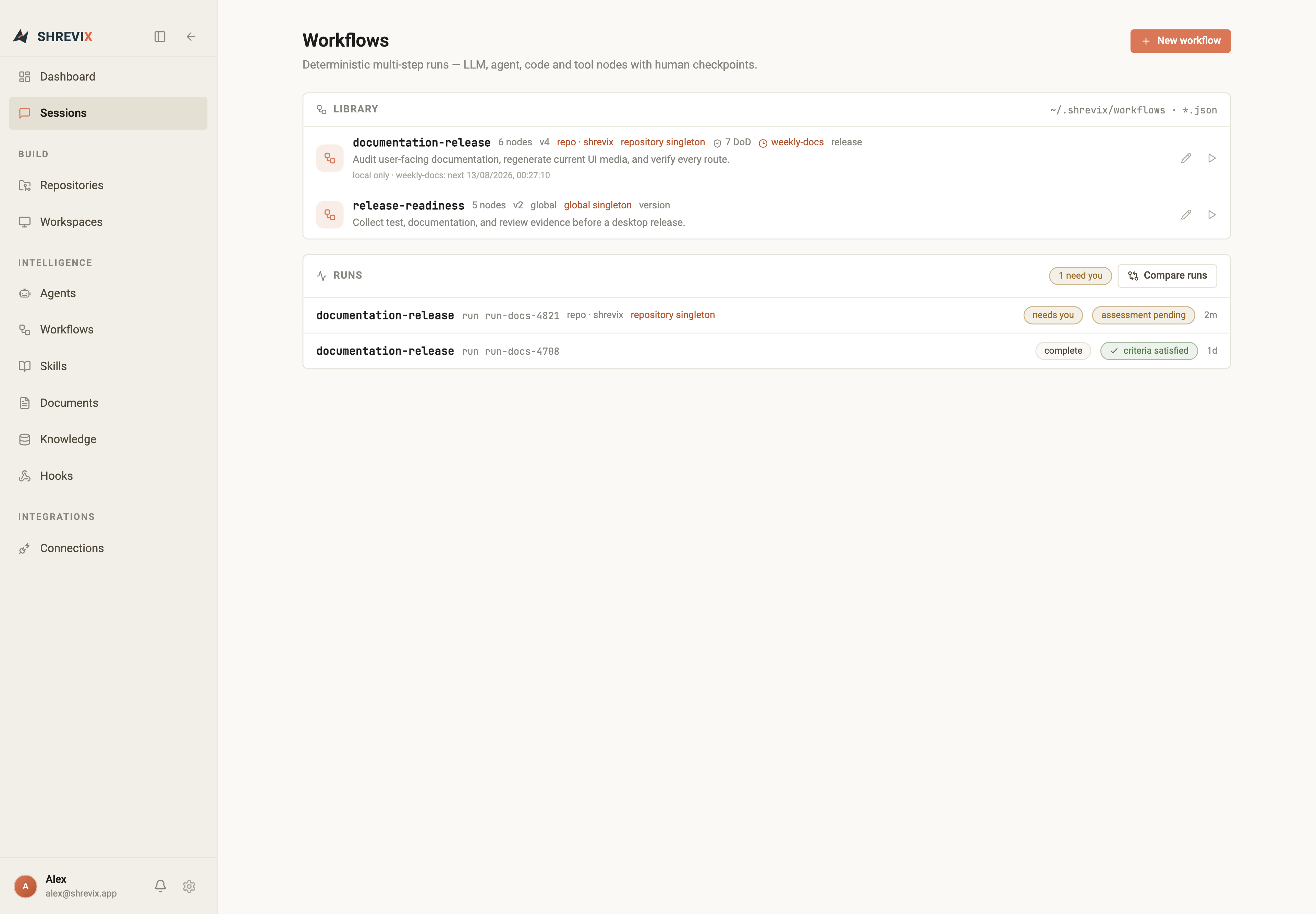
Create a workflow
Section titled “Create a workflow”Choose New workflow to start from a blank definition or a guided creation flow. The builder lets you add nodes, connect their dependencies, and inspect a node without leaving the canvas.
A definition can include:
- typed inputs and output contracts,
- agent, LLM, code, and MCP tool nodes,
- repository or global scope,
- definition-of-done checks,
- human approval or question checkpoints, and
- singleton policies that prevent duplicate active runs.
You can manage the same library from chat. Shrevix can list and read workflow definitions, validate a complete definition before saving, create or update a workflow, start and inspect a run, cancel active work, or delete a definition. Mutating and execution actions follow the active approval policy.
Preview before running
Section titled “Preview before running”The launcher validates inputs and shows the planned run before it starts. If a singleton rule blocks a duplicate, Shrevix reports the existing run instead of quietly starting another one.
Triggers
Section titled “Triggers”Schedule and file-change triggers run locally. Each trigger can be enabled, paused, inspected for its next fire time, and traced to its latest result. A trigger never hides its skipped or failed state.
The desktop app must be open for local trigger polling. After the machine or app wakes, Shrevix can recover one missed scheduled occurrence; it does not replay an unlimited backlog of missed runs.
Run view and checkpoints
Section titled “Run view and checkpoints”The run view follows every node, artifact, gate, and result. Human checkpoints also appear in the dashboard’s Needs you section, and returning from the dashboard focuses the exact gate that is waiting.
Compare runs
Section titled “Compare runs”Select two runs from the same workflow to compare their inputs, node outcomes, timing, outputs, and definition-of-done results. Generated documents open in the full document viewer without losing the run.