Approvals & modes
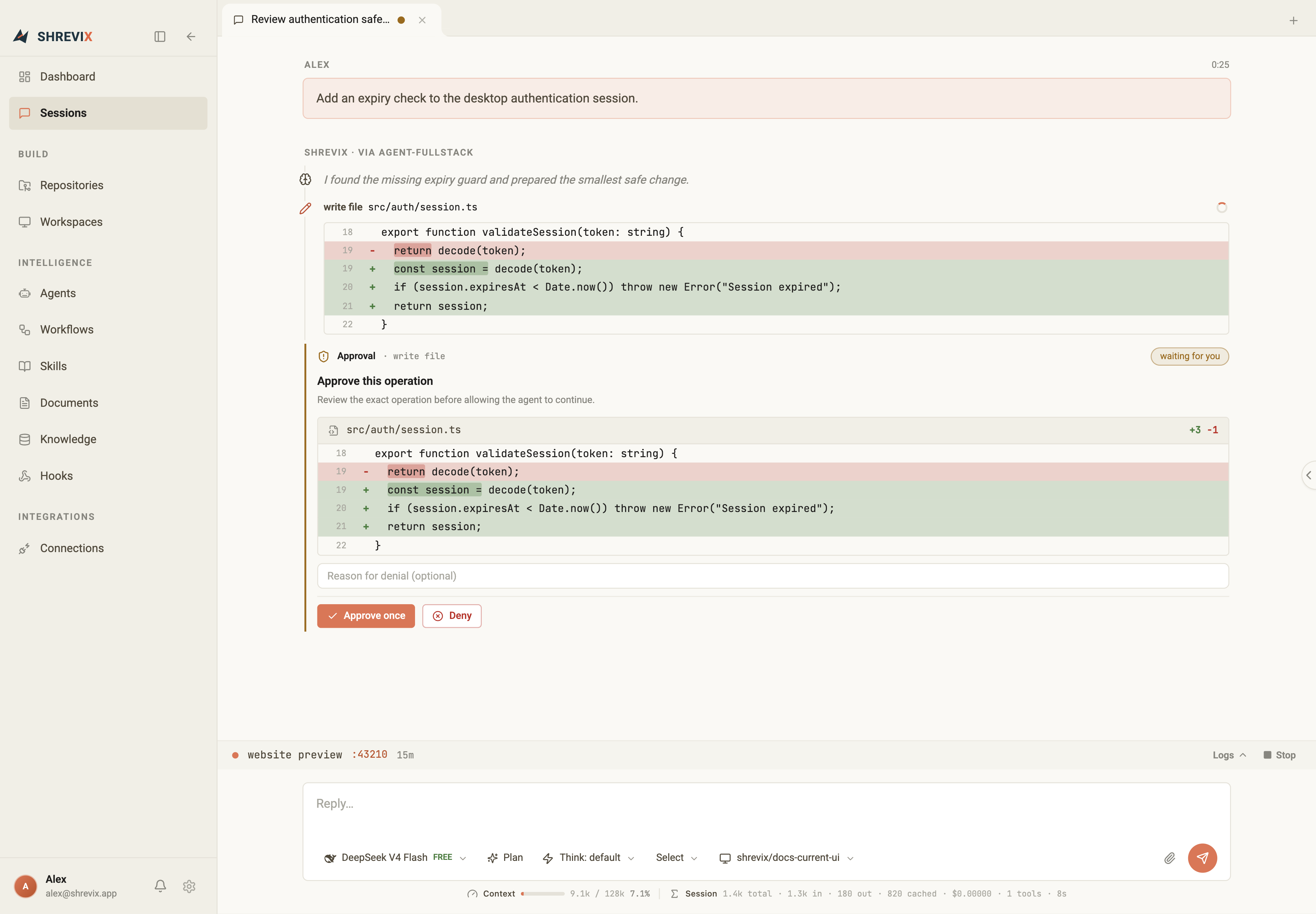
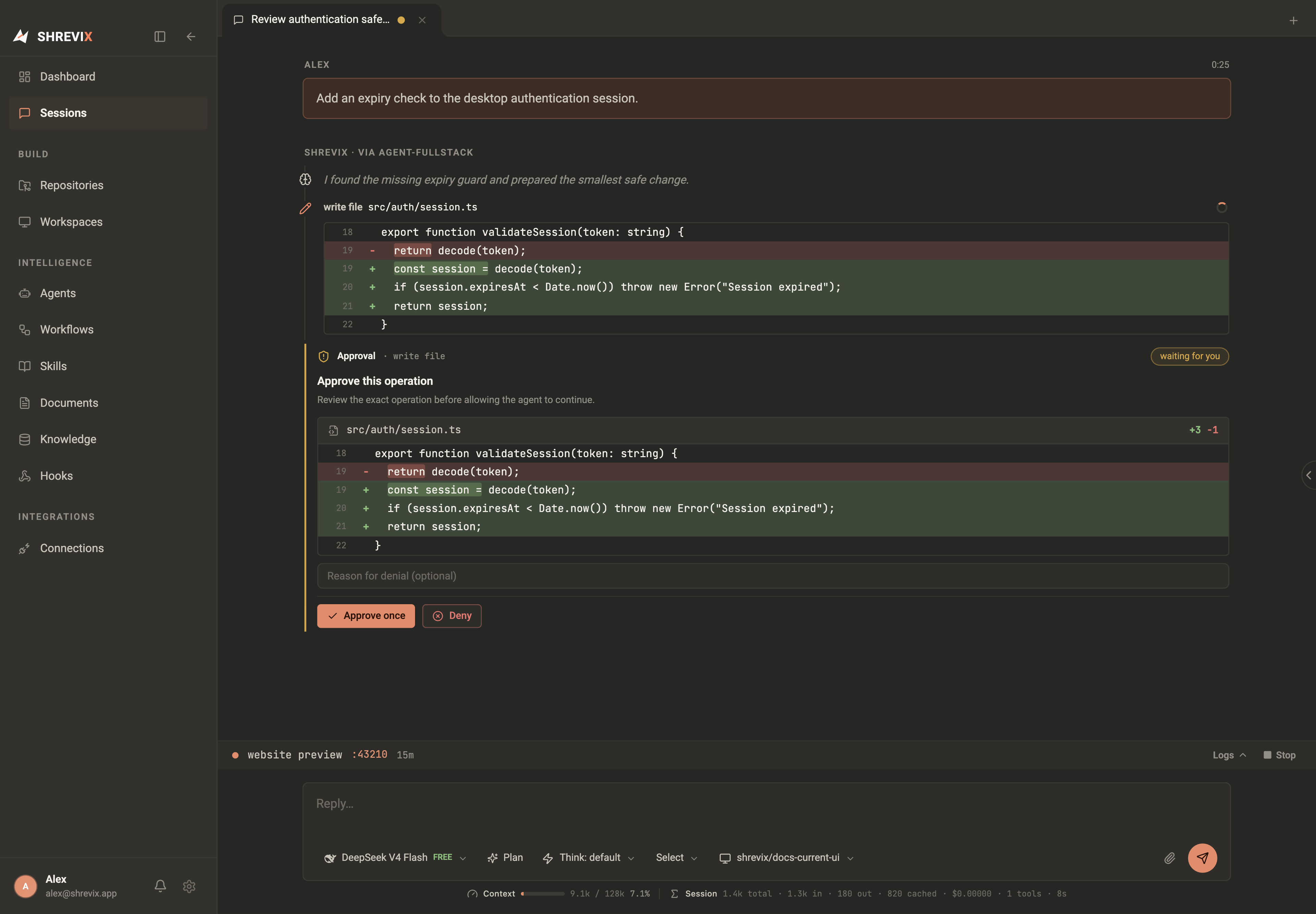
Shrevix’s default safety model is simple: mutating actions wait for you. Explicit mode choices and MCP server allowlists can change that policy. The gate is enforced in the engine — not by asking the model nicely.
What’s gated and what isn’t
Section titled “What’s gated and what isn’t”| Action | Gated? | What you see |
|---|---|---|
| Read / list / search files | No | A compact transcript row; files open in File explorer |
| Search knowledge or the web | No | A transcript row with the result |
| Write or edit a file | Yes | The full diff + a permission card |
| Run a shell command | Yes | The exact command before it runs |
| Call an MCP tool | Yes (default) | Server, tool, and arguments |
- Approve applies exactly what you saw — no more, no less.
- Deny rejects the action. The agent sees the denial and adjusts course; you can tell it what to do instead in the next message.
Plan mode
Section titled “Plan mode”Plan mode blocks built-in file mutations and shell execution, so the agent can investigate, search, and propose without changing the local workspace. Toggle Plan in the composer.
Use it when you want a design or diagnosis before local edits and commands. For example, “plan a migration to Postgres” can produce a proposal without changing the workspace. Review the MCP exception below before relying on Plan for connected external systems.
Bypass mode
Section titled “Bypass mode”Bypass mode is the explicit full-access path for a primary Build session. It removes permission prompts and permits the local coding runtime to read or write outside the selected workspace. Enable Bypass permissions under Settings → Agent & runtime only when you trust the task and its instructions. The setting remains active for later Build turns until you turn it off; Plan remains read-only.
For Codex Local, the current execution policy is:
| Mode | Local access | Network | Mutating actions |
|---|---|---|---|
| Plan | Read-only investigation | Available | Built-in writes and shell execution are blocked |
| Build + Approval | Selected workspace by default | Available | Writes, shell commands, and MCP calls wait for approval unless explicitly allowlisted |
| Build + Bypass | Full filesystem for the primary session | Available | Runs without permission prompts |
Codex Local also receives structured Shrevix Git actions for status, diff, stage, unstage, commit, push, and pull-request creation. These remain available when a native runtime is workspace-confined; any mutating Git action still follows the current Approval or Bypass policy.
Delegation never escalates
Section titled “Delegation never escalates”When a lead agent delegates work to another agent, the child runs with its own permission level — never more than you granted. Path-scoped delegated work remains limited to its assigned write scope even when the primary session uses Bypass. Approvals bubble up to you, not to the parent agent.
Resolved approvals stay compact. The transcript keeps the action and outcome, but does not repeat the approval reason, duplicate the write diff, or add a success check mark that competes with the actual result.
Approve remotely
Section titled “Approve remotely”A waiting question or approval can also be handled from a paired phone, tablet, or browser. Shrevix Remote shows the same request and resumes the same desktop run after you approve, deny, or answer it. Pairing a device does not weaken the session’s current permission mode.