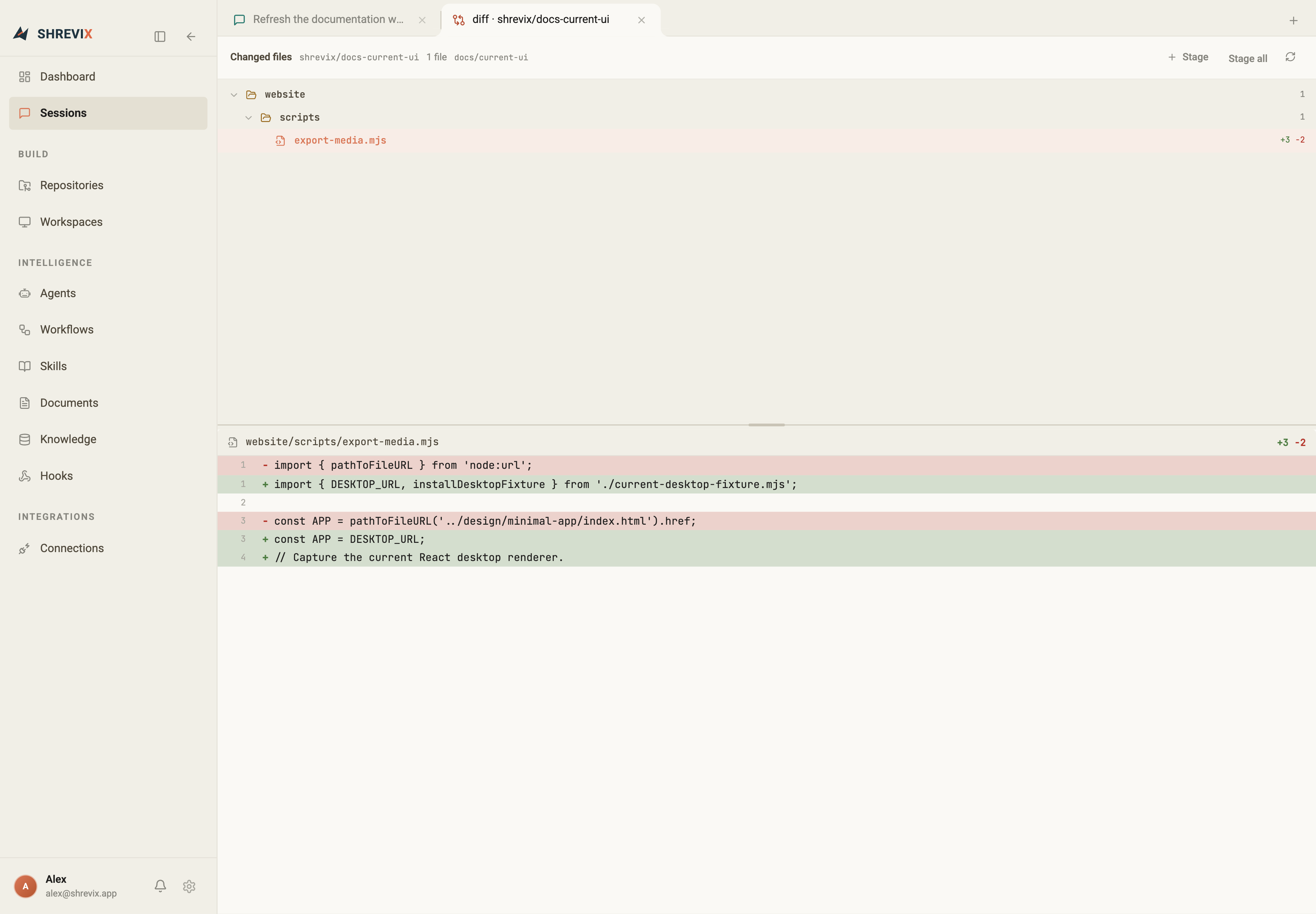
Plan with one model, delegate to the right agent, run repeatable workflows, and keep every diff, approval, question, and deliverable in one workspace—from your Mac or a paired device.
Create a plan to make workspace search return matching repositories too. Keep it local and keyboard-first. Do not implement anything yet.
✦ Shrevixthinking
I’ll inspect the current palette, reuse the existing repository snapshot, and make the reviewable plan explicit about ranking, keyboard behaviour, and tests.
Tasks1 / 4
Creating a reviewable implementation plan before making changes.
✓ Trace command-palette search sources
Draft repository-aware result design
Add keyboard coverage
Implement after approval
▤
workspace-search-plan.mdDocument · v1 · just now · view in Artifacts
›
✦ Shrevixplan ready
Plan ready for review
Keep navigation results first and add repository hits below.
Reuse in-memory snapshots, so each query stays local and instant.
Preserve arrow-key selection and add focused tests.
Alexreview comment
I left a comment on the plan’s result-ranking step. Please resolve it, update the plan, and let me review the revision before implementation.
read fileworkspace-search-plan.md
write fileworkspace-search-plan.md
workspace-search-plan.md+8−1
42 Keep navigation results in their current group.+43 Debounce repository matching and retain branch metadata.
▤
workspace-search-plan.mdDocument · v2 · revised from your comment
›
✦ Shrevixupdated plan
Updated. Repository results now follow the existing debounce, include the default branch, and have keyboard coverage in the plan. Ready for implementation when you are.
Alexnow
Plan looks good. Implement it, show me the diff for approval, generate a short implementation note, and run the targeted tests.
⌘Delegated→frontend-devcommand palette implementation working
12 passed · repository grouping, debounce, and keyboard selection verified.
▤
workspace-search-implementation.mdDocument · created from this conversation · view in Artifacts
›
✦ Shrevixcomplete
Implemented the approved workspace search flow. Repository matches now respect the existing debounce, show the default branch, support keyboard selection, and pass all targeted tests. I also added the implementation note to Artifacts.
24.2s · Codex Local · GPT-5.6 Sol · 2 files changed · 12 tests passed
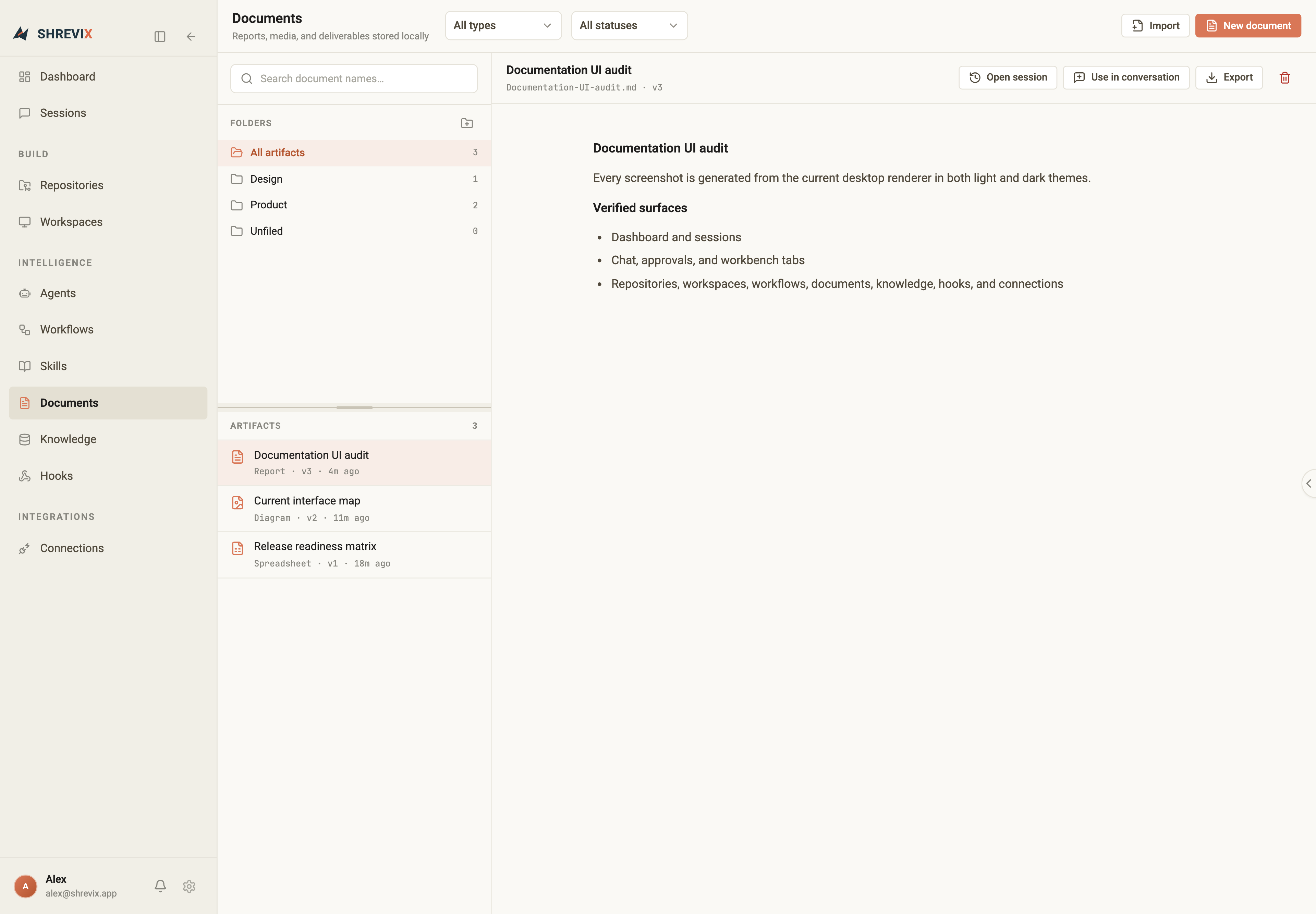
Chat conversation/workspace-search-plan.md
Repository-aware workspace search
PLANworkspace-search-plan·shrevix·v1
Outcome
Let people discover matching repositories from the workspace search flow without changing the command palette’s keyboard-first behaviour.
Implementation plan
Keep navigation and session results in their existing groups.
Reuse the in-memory repository snapshot to add repository matches below workspace results.
Use the existing debounce, show each repository’s default branch, and preserve arrow-key selection.
Add focused tests for grouping, branch metadata, and keyboard navigation.
Verification
Run the command-palette test slice and confirm no new source is queried while the user types.
Subscription, built-in, and compatible providersClaude through OpenRouter · custom OpenAI-compatible endpoints
Codex LocalDeepSeekGGLMKKimiNVIDIAOpenRouterOpenCode ZenOllamaLM Studio
01 Product surface
More than a chat window.
Shrevix now covers the whole loop: start a task, route it, inspect the work, answer interruptions, review changes, and keep the useful output.
01
Live conversations
Thinking, tool calls, questions, approvals, context, token usage, and the final response update in one transcript. Add guidance while an agent is working; long desktop sessions load older history only when you need it.
Sessions · Needs you02
Agents that delegate clearly
Choose an agent explicitly or let a lead route the task. Independent work runs in parallel, and each delegated run opens as its own conversation without leaking child tool noise into the parent.
List · Org structure03
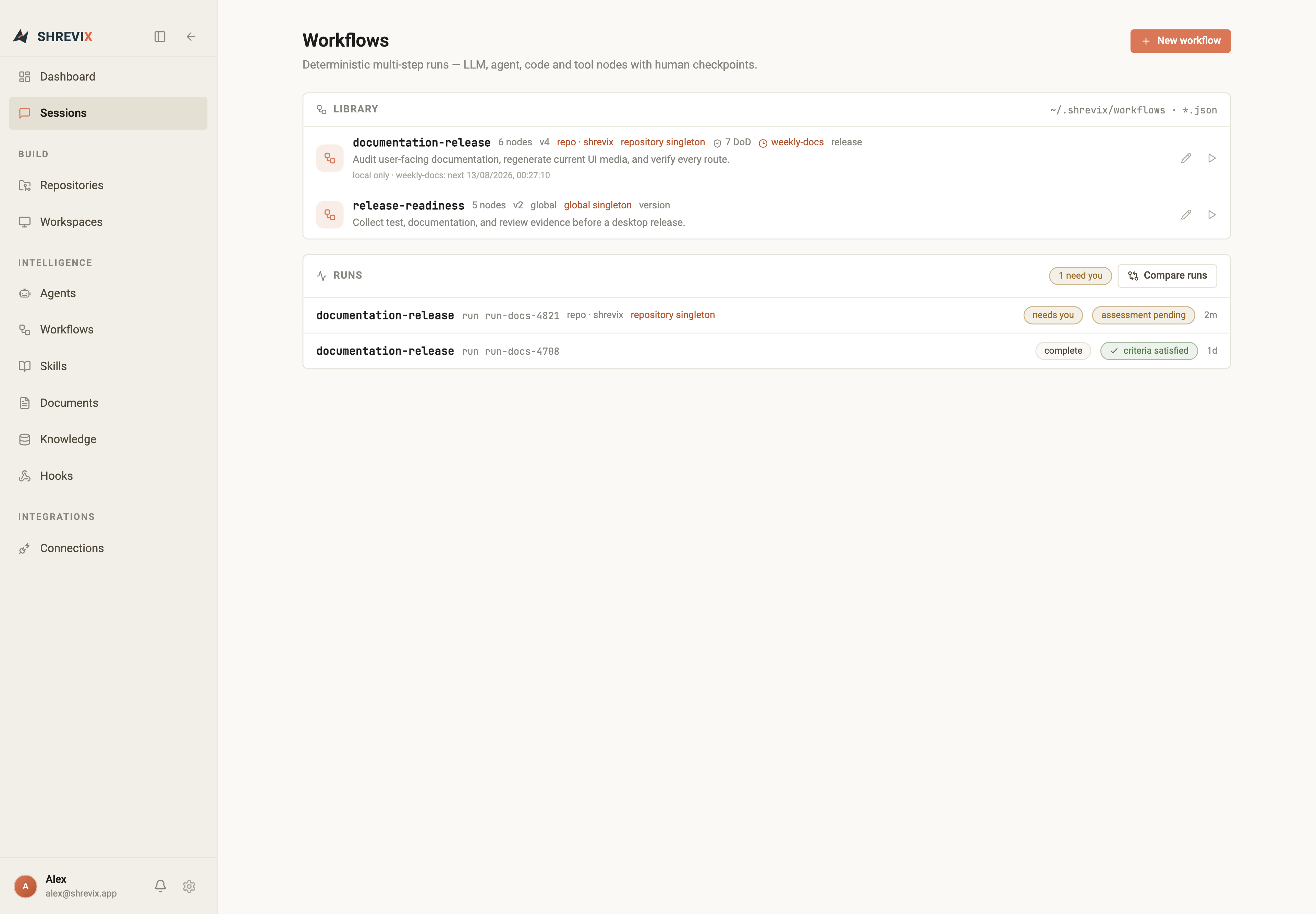
Repeatable workflows
Compose LLM, agent, code, and tool nodes with inputs, triggers, definition-of-done checks, and human gates.
Runs · Comparison04
Context that compounds
Import reusable skills, search local knowledge semantically, and attach files, documents, sessions, or agents to a turn.
Skills · Knowledge05
A real coding workbench
Switch from focused chat to an integrated coding layout with the file tree and editor above, then chat and tabbed terminals below. File references open and select their exact workspace location.
⌘P · ⌘⇧F · Terminals06
Deliverables with provenance
Store documents, images, PDFs, audio, video, tables, and presentations locally. Edit versioned Markdown inline, render Mermaid diagrams, and jump back to the session that created each artifact.
Documents · Artifacts07
Remote control without moving execution
Pair a phone, tablet, or browser with a running desktop. Continue sessions, follow delegated agents, approve actions, and read files or documents while work remains on your computer.
QR pairing · Live sync
02 How it works
From install to reviewed work in three steps.
STEP 01
Install the desktop app
Install the desktop build from your Shrevix access channel, sign in, then choose a connected provider or a discovered local model.
STEP 02
Connect your codebase
Open a local repository or connect one, then create an isolated workspace when a task needs its own branch, ports, and services.
STEP 03
Ask, route, and review
Start from the dashboard or an agent. Follow delegated conversations, answer the Needs you queue, inspect the diff, and keep the resulting artifacts.
03 Shrevix Remote
Leave the desk. Keep the work moving.
Pair a phone, tablet, or another browser with the desktop app. Continue live sessions, answer questions, approve commands, and read project output while execution stays on your computer.
Start a new conversation or continue an existing one
Follow streaming answers and open delegated agent work
Approve commands and tool requests from the device in your hand
Read workspace files, documents, and artifacts full screen
Check the failed build and fix only the root cause.
⌘CI logs inspected2 failures
↗Delegated to test-agentrunning
The failure comes from a packaged runtime dependency. I’ve prepared a focused fix and one release-path test.
Command requires approval
‹Checkout reliability
Check the failed build and fix only the root cause.
↗test-agentworking
The failure comes from a packaged runtime dependency.
APPROVAL REQUIREDRun focused release test?
Reply to this session…↑
Changes stay in sync
04 Connections
Connect the sources your team already uses.
Bring the developer tools, product systems, and data sources that matter to a task into the same workspace. Choose the tools each connection can expose, then use them from conversations, agents, and workflows.
OAuth connections for services such as GitHub, GitLab, Linear, Slack, Notion, Figma, and more
MCP connections for local tools, browser automation, databases, and compatible servers
Selective access keeps only the enabled capabilities available to Shrevix
Browse agents as a clean team list or switch to organisation structure. Leads can inspect the roster and delegate to a suitable specialist; explicit agent requests become routing requirements.
Each delegated run opens as its own conversation
The parent shows one clear delegation event, not every child tool call
Live state, permissions, model, charter, and recent work stay visible
Use a focused conversation or switch to an integrated coding layout with the explorer and editor above, then chat and tabbed terminals below. The active repository or workspace is always explicit.
Open a file or folder reference from chat and select its exact location in File explorer
Use Quick Open, workspace search, find/replace, and Markdown source, Mermaid, or preview without leaving the conversation
Keep multiple named terminal sessions beside the compact chat surface
Writes render as code diffs at the approval point
Send additional guidance while a turn is still running
Ingest policies, runbooks, specs, and repository docs. Shrevix computes embeddings locally, ranks semantic matches, and sends only the selected context to the active model.
Global and repository-scoped documents
Semantic search across chunks and sources
Search results identify their source document and passage
The agent is instructed to cite those sources in its answer
Refunds are processed within 5 business days of approval. Requests past 30 days route to manual review. refunds.md §2policy/sla.md
top matches returned · source passages remain inspectable
10 Control
Approval stays at the point of action.
In Approval mode, mutating tools pause exactly where they were requested. A write shows its diff once, resolved approvals collapse cleanly, and failures or denials remain visible.
Plan mode blocks local file writes and shell commands
Approval mode gates writes, commands, and MCP calls by default
Bypass mode is an explicit full-access choice for a primary Build session
MCP policies can explicitly allowlist selected tools
write filecore/auth.pywaiting for approval
def refresh(self, token: Token) -> Token:
- return self._client.refresh(token)
+ if token.expires_in() < self.margin:
+ return self._client.refresh(token)
return token
ApproveDenythe run resumes from this point
11 Built on open standards
MCP · standard mcpServers configLSP · jedi, tsserver, rust-analyzer, goplsOAuth · PKCE where supported · protected local storageLiteLLM · remote routing + compatible endpointsTauri · native desktop shell
12 Desktop access
Bring the workbench to your desktop.
Install the app, sign in, connect your model and codebase, then pair any phone, tablet, or browser you want to use away from your desk.